
Image Data Requirements
Prepare document images that meet IDWise size, format, compression, and quality requirements for accurate document verification.
Prepare document images that meet these requirements before submitting them to IDWise for document verification.
High-quality document images improve extraction accuracy, reduce retries, and help IDWise anti-spoofing checks evaluate the document correctly. Use the requirements below when capturing images through your application or submitting images through the API.
Image Size and Compression
Use images that meet the following size, resolution, and compression requirements.
| Requirement | Value | Details |
|---|---|---|
| Maximum file size | 4.4 MB | Images must not exceed 4.4 MB to maintain efficient processing. |
| Minimum resolution | 1,280 × 720 pixels | Images must be at least HD quality. |
| Maximum dimensions | 10,000 × 10,000 pixels | Images must not exceed 10,000 pixels in width or height. |
| JPEG quality | 70 or higher | If you compress JPEG images, use a single compression pass at quality 70 or higher. |
Uncompressed images are preferred when available. Avoid repeated compression because it can introduce artifacts, reduce image quality, and make document checks less reliable.
Supported Image Formats
IDWise supports the following file formats for document images:
| Format | Supported extensions |
|---|---|
| JPEG | .jpeg, .jpg, .jpe |
| Portable Network Graphics | .png |
| WebP | .webp |
| Portable Document Format | .pdf |
| High Efficiency Image File Container | .HEIC |
| Portable Image Format | .pbm, .pgm, .ppm, .pxm, .pnm |
Image Quality Requirements
Document images must be clear, complete, evenly lit, and captured from a straight angle. The following requirements apply to images captured from any device.
Document Borders
Include a visible border around the document that is at least 5% of the document's width. Avoid tightly cropped images because missing borders can make it harder to evaluate the document accurately.

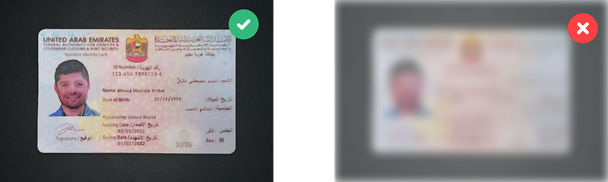
Image Clarity
Capture a sharp image without motion blur. Blurry images may cause legitimate documents to be rejected, while image smoothing or texture filtering can reduce the reliability of spoofing checks.
Lighting and Glare
Use even lighting and avoid direct sunlight, harsh overhead lighting, or artificial color casts. Glare can hide document details and increase the risk of rejection.

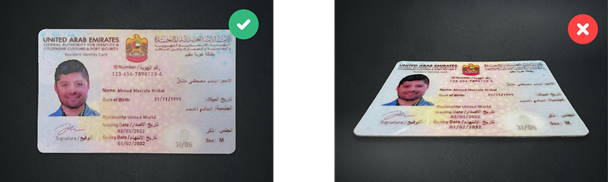
Perspective Distortion
Capture the document straight on. Images with significant perspective distortion can appear skewed or stretched, which makes accurate processing more difficult.
Pre-Submission Checklist
Before submitting a document image, confirm that:
- The file size is 4.4 MB or smaller.
- The image resolution is at least 1,280 × 720 pixels.
- The image dimensions do not exceed 10,000 × 10,000 pixels.
- The file format is supported.
- The full document is visible with at least 5% border around it.
- The image is sharp and not blurred, smoothed, or filtered.
- The document is evenly lit with no strong glare.
- The document is captured straight on, without major perspective distortion.
Updated 4 months ago