
Apple App Attestation Setup
Apple App Attest lets the IDWise SDK cryptographically sign every request from a genuine, unmodified install of your app. The backend verifies that signature and flags any request that was altered, replayed, or injected in transit — for example by a proxy/MITM tool during testing, or a tampered client in the wild.
iOS Configuration
A one-time setup in your Apple Developer account and Xcode project. This follows the same pattern as enabling any other restricted capability (e.g. NFC) and requires no IDWise SDK code changes.
Step 1: Enable App Attest capability
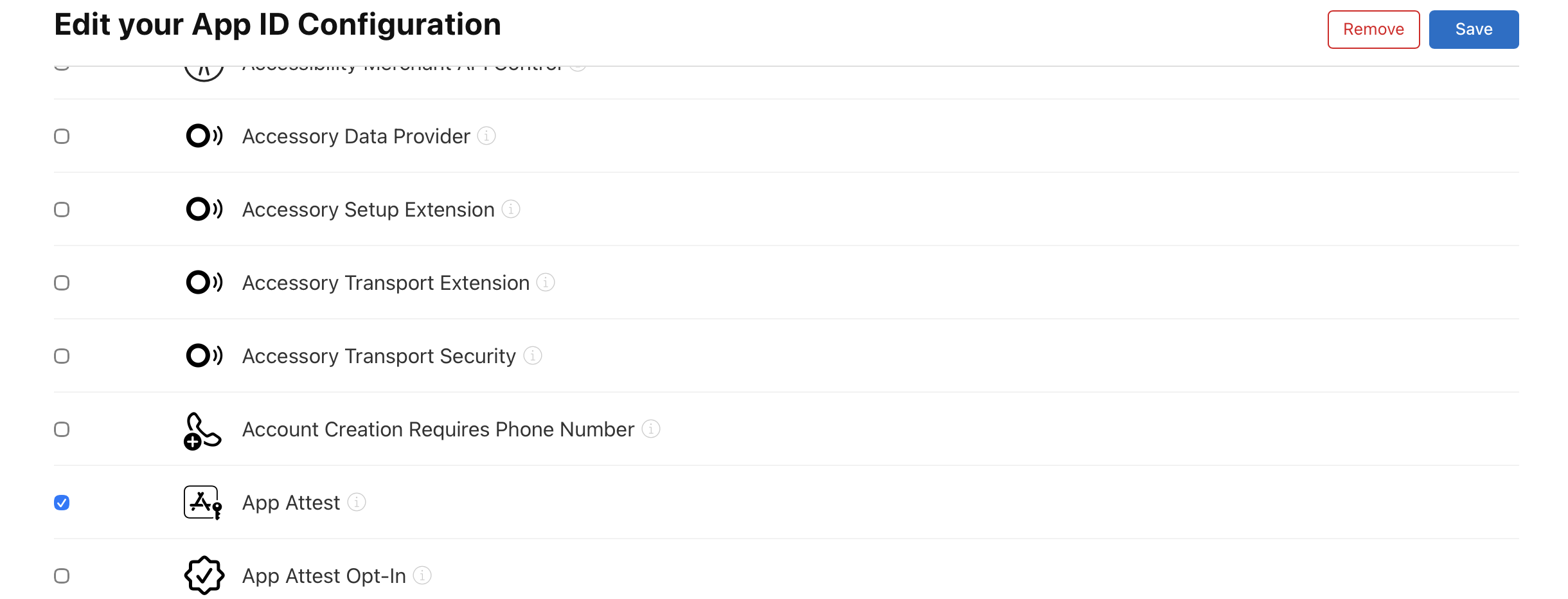
In the Apple Developer Portal (requires an Admin or App Manager role), navigate to Certificates, Identifiers & Profiles → Identifiers, select your app's identifier, and enable the App Attest capability.
Step 2: Add the entitlement in Xcode
In Signing & Capabilities, add the App Attest capability to your target. This adds the following key to your app's .entitlements file:
<key>com.apple.developer.devicecheck.appattest-environment</key>
<string>development</string>- Use
developmentfor debug/TestFlight builds signed with a development or ad-hoc profile - Use
productionfor App Store builds
Step 3: Verify device & OS requirements
- Minimum iOS version: iOS 14.0 or later
- Device requirement: Physical device only (not available on iOS Simulator)
- Failsafe: The SDK fails open and skips signing rather than blocking the journey if App Attest isn't available
Flow Builder Configuration
Configure two settings: one to register your app with IDWise at the tenant level, and another to decide how each flow responds to detected tampering.
Register your app (tenant level)
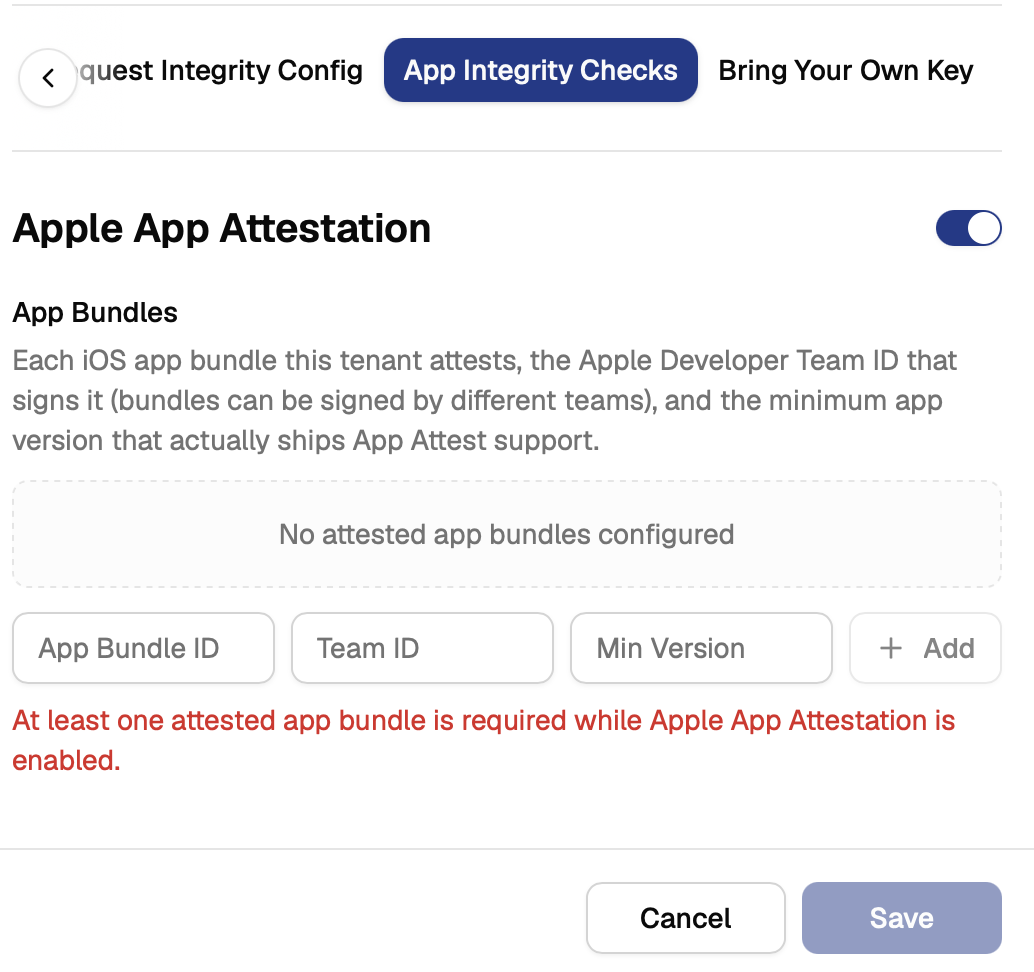
- Go to App Integrity Checks → Apple App Attestation
- Switch it on
- Add each iOS app bundle you want attested
Required fields:
| Field | Description | Example |
|---|---|---|
| App Bundle ID | Your app's bundle identifier | com.yourcompany.yourapp |
| Team ID | The Apple Developer Team ID that signs this bundle | X53434534 |
| Minimum version | The lowest app version that ships App Attest support. Any install reporting a version below the number you set is simply exempt. Its requests aren't judged by App Attest at all. Once an install is on or above that version, its requests are expected to be signed and are evaluated normally. | 4.0 |
Note: At least one app bundle must be configured while Apple App Attestation is enabled. The configuration UI will prevent saving otherwise.
Enable the check for a specific flow
- Open the flow in Flow Builder
- Go to Flow Level Config → Settings
- Switch on Request Integrity Check
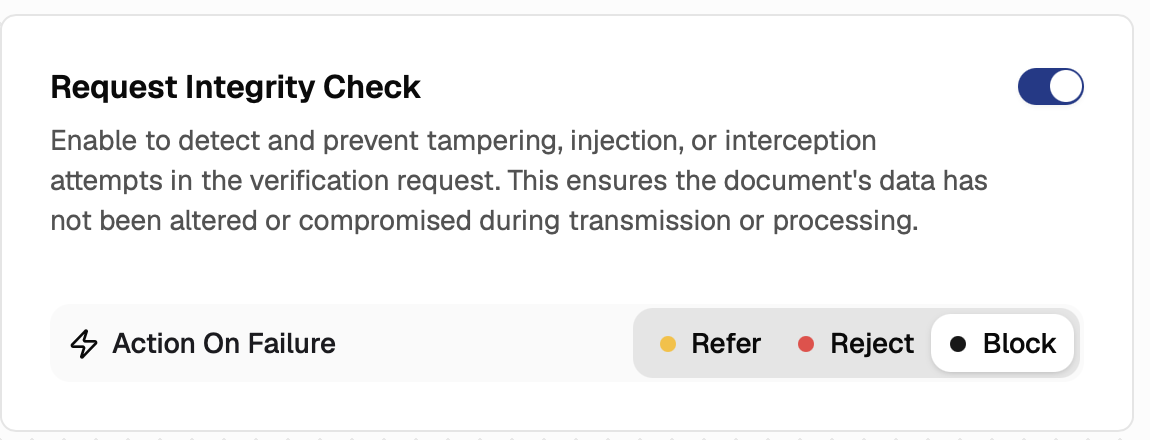
This setting controls what happens when IDWise detects a tampered, injected, or intercepted request:
- Action On Failure: Choose Block to automatically block the flow of the journey and stop the end user from proceeding further while the requests cannot be validated.
Updated about 2 hours ago